TimeTill is a countdown and event-tracking app for iPhone, iPad and Apple Watch that counts down to birthdays, trips, weddings and deadlines, with Lock Screen and Home Screen widgets and per-event themes.
Who it is for
Anyone tracking dates that matter — parents, travellers, couples planning a wedding, students and freelancers working to deadlines.
Counting down to a birthday, wedding, holiday or exam
Keeping a project or coursework deadline visible on the Lock Screen
Tracking how long since something happened, by counting up instead of down
Grouping events into Personal, Travel or Wedding categories
What makes it different
Configurable WidgetKit widgets on both the Lock Screen and the Home Screen, not just one
Per-event themes, fonts and cover photos, so each countdown looks like the thing it is for
Counts up from a past date as well as down to a future one
Works fully without an account; sync is optional and uses your own iCloud
No analytics or crash-reporting SDK — nothing reports how you use it
Auto-renewing subscription, billed by Apple; prices vary by region
No account required — an account is optional and only adds sync
Platforms & compatibility
Runs on
iPhone, iPad, Apple Watch
Requires
iOS 17.0 or later
Languages
44 App Store localisations
Version
2.0.2
Developer
Andrii Kolisnyk
What it does not do
iPhone, iPad and Apple Watch only — there is no Android or web version
Reminders are delivered by iOS and can be delayed by Focus modes or Low Power Mode, so it is not a substitute for a critical alarm
Sync needs iCloud; there is no account-based sync across non-Apple devices
What it does
⏳
Countdowns for everything
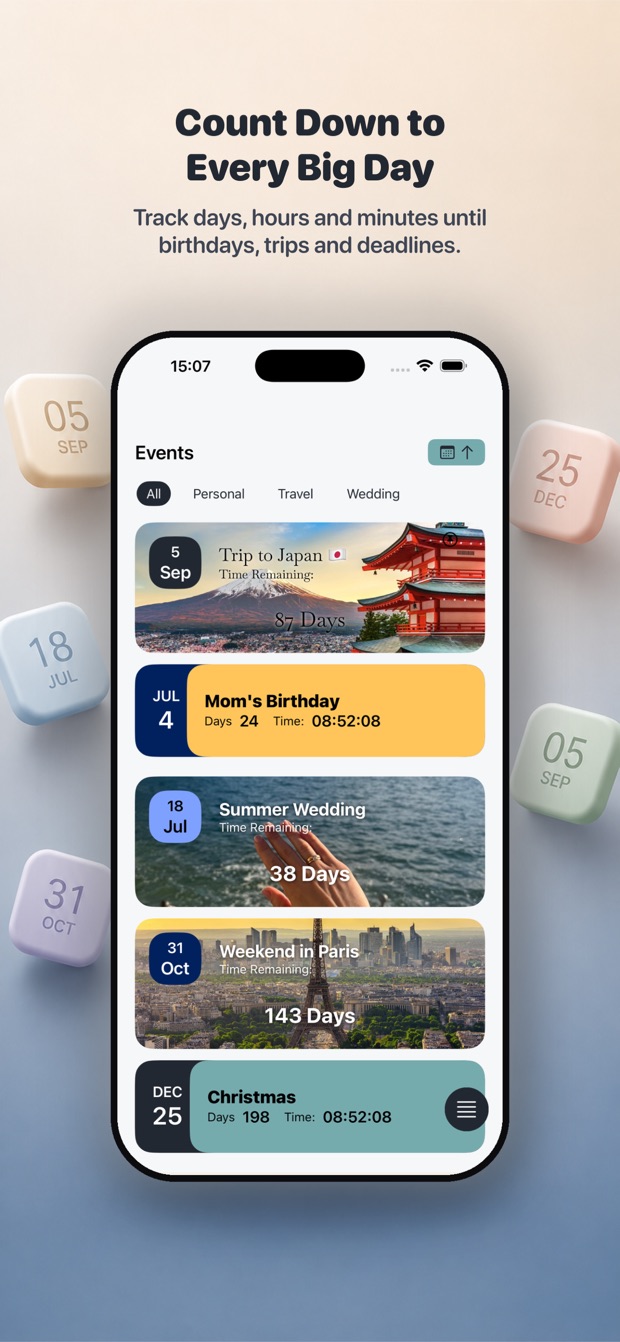
Track days, hours and minutes until birthdays, trips, weddings and deadlines, grouped into your own event categories.
🎨
Made to match
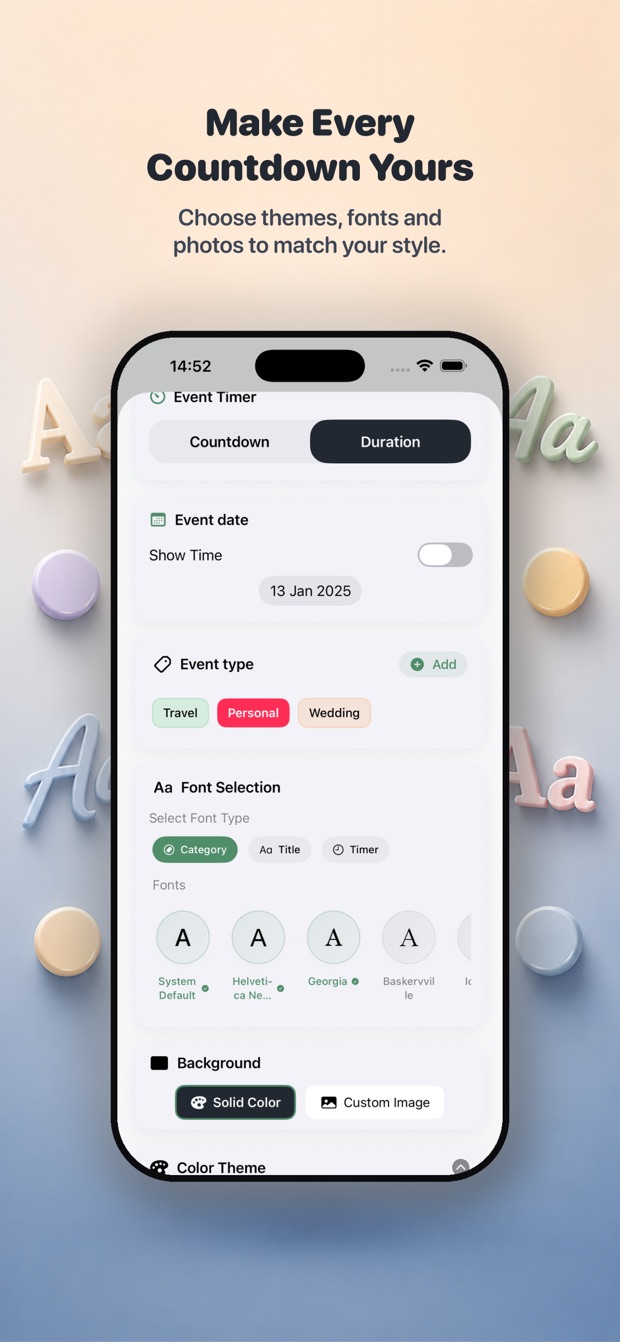
Pick themes, fonts and cover photos per event, and choose whether a timer counts down to a date or up from one.
🔔
Smart reminders
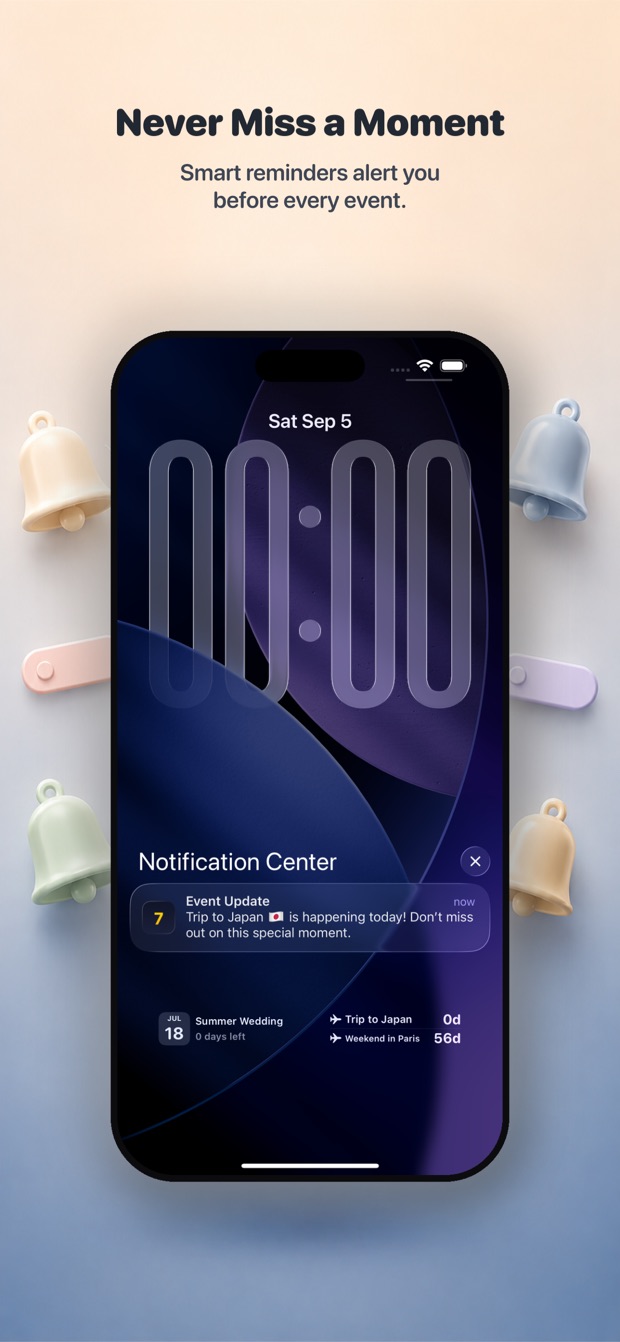
Alerts land before every event, so the day you have been counting to never slips past unnoticed.
📲
Lock and Home Screen widgets
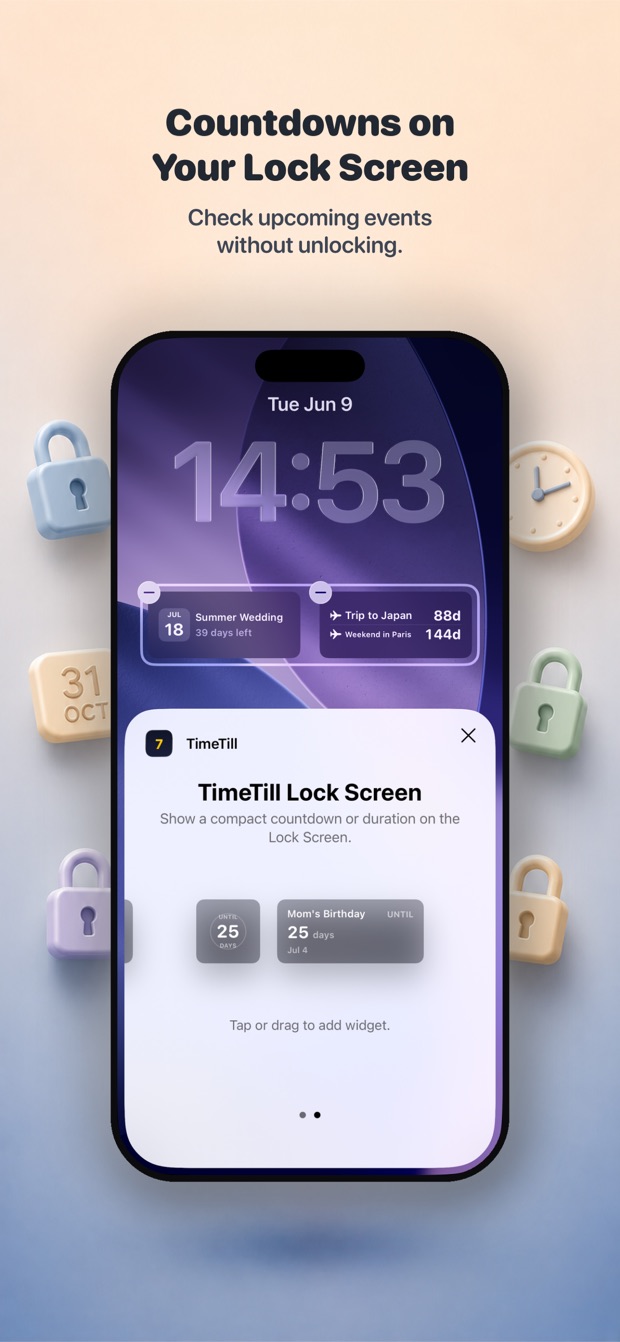
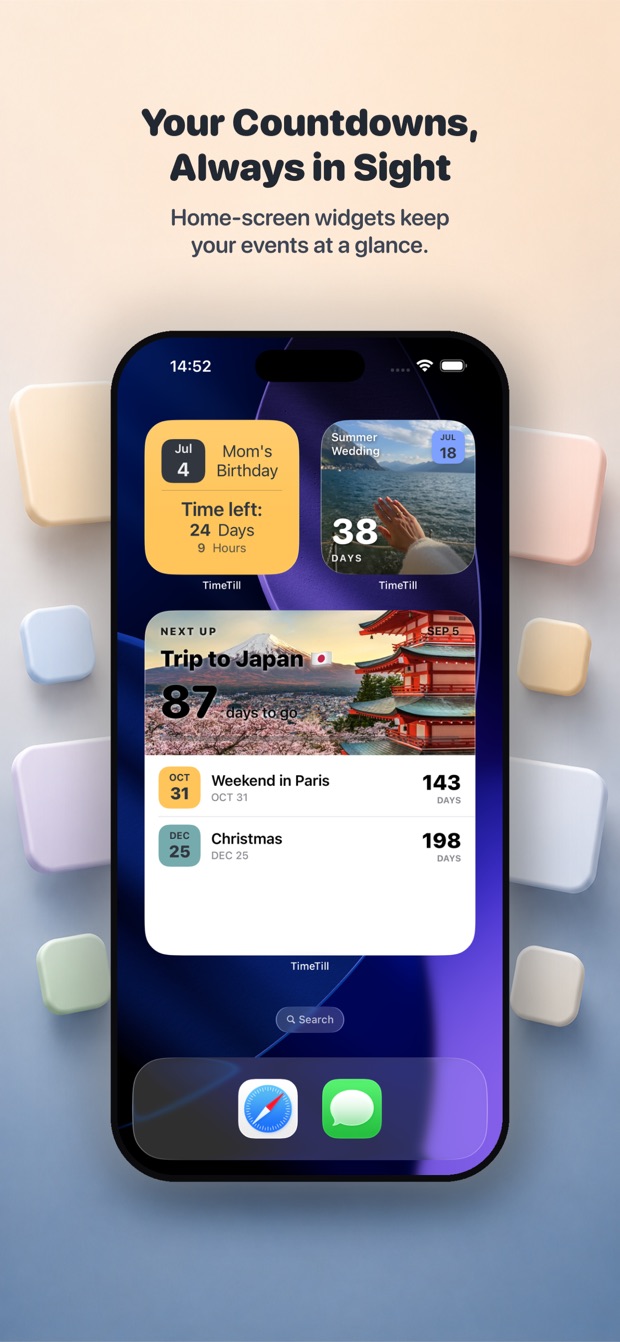
Configurable WidgetKit widgets with AppGroup sync put the next countdown in front of you without unlocking.
See it in action
Real screenshots →
Count down to every big day — events grouped by Personal, Travel and Wedding
Themes, fonts, photos and Countdown or Duration timers
Smart reminders alert you before every event
Countdowns on your Lock Screen — check upcoming events without unlocking
Home Screen widgets keep your events at a glance
What people say
Straight from the App Store →
4.7
★★★★★4.72 out of 5 stars
64 ratings on the App Store
5★ star
56
4★ star
3
3★ star
2
2★ star
1
1★ star
2
★★★★★5 out of 5 stars
Very confusing
it is quite confusing. the number of days and number of hours are not in sync.
Today at 5 PM,
An event tomorrow at 3 PM will show 1 day, 22 hours left
An event tomorrow at 7 PM will show 1 day, 2 hours left
Ashish Ochani🇺🇸US · App Store
★★★★★5 out of 5 stars
👍🏼😊
Highly recommend this app, it has great features and is very helpful.
beckieploy🇬🇧GB · App Store
★★★★★5 out of 5 stars
Nice app
User friendly and easy to use
~T•T~🇲🇾MY · App Store
★★★★★5 out of 5 stars
Multiple events
Can show 3x events for widgets
Timetilluser🇺🇸US · App Store
★★★★★5 out of 5 stars
The function request in APP cannot be sent out
Can the desktop widget be optimized? I really need it to be consistent with the app, that is, only display the day of the week and the date, instead of the current default which shows the date plus the time.
Jj king 11133🇺🇸US · App Store
★★★★★5 out of 5 stars
Tolle App
Sieht gut aus, alles sehr gut konfigurierbar. Sehr zu empfehlen. Cloud Synchronisierung klappt zwischen iPhone und Tablet noch nicht - Idee warum?
GisJu🇩🇪DE · App Store
★★★★★5 out of 5 stars
Loving app!
It's easy to use
Loyalyzer🇻🇳VN · App Store
★★★★★5 out of 5 stars
Best app
The app UI is awesome, simple and straightforward. The developer is very responsive. The app deserves more than 5-stars. I am using it for multiple purposes including my wife 309 Visa
Ahmed Fetouh1🇦🇪AE · App Store
★★★★★5 out of 5 stars
Awesome!
I really like it.
I wish the widget could be expanded.
Selibin🇺🇦UA · App Store
★★★★★5 out of 5 stars
Brilliant
I only mention about adding the year to this a couple of days ago in a review now it's in the update. Wow. I think this is the first for me a developer as listened Thankyou . It easy to use . Good luck with this 👍👍
AdeBall🇬🇧GB · App Store
Common questions
Is TimeTill free?
Yes. TimeTill is free to download and use. Some extras — unlimited colour schemes, all custom typography and cross-device sync — are a paid subscription billed by Apple.
Does TimeTill require an account?
No. Everything works without one. Creating an account is optional and only exists to sync your events and preferences between your own devices.
Does TimeTill have widgets?
Yes — configurable WidgetKit widgets for both the Lock Screen and the Home Screen, showing your next countdown without unlocking the phone.
Can TimeTill sync between my iPhone and iPad?
Yes, through your own iCloud account using CloudKit. Your data goes into your private iCloud database, which the developer cannot read.
Can it count up from a past date?
Yes. Each timer can count down to a date or up from one, so you can track how long since something happened.
Does TimeTill collect personal data?
It collects very little. Your events stay on your device and in your own iCloud if sync is on. There is no analytics or crash-reporting SDK in the app. See the privacy policy for the full account.
Is TimeTill available on Android?
No. It is an Apple-platform app built in SwiftUI, for iPhone, iPad and Apple Watch.
 Magibook Reading & audiobooks
 Utility Island macOS menu bar utility
 Flunio AI language learning
 Storytelling Kids’ bedtime stories
 DoseNext Medication reminders